USER GUIDE
Find, review and track your posts
Use List and Cards, review upcoming posts, and distinguish imported social history.
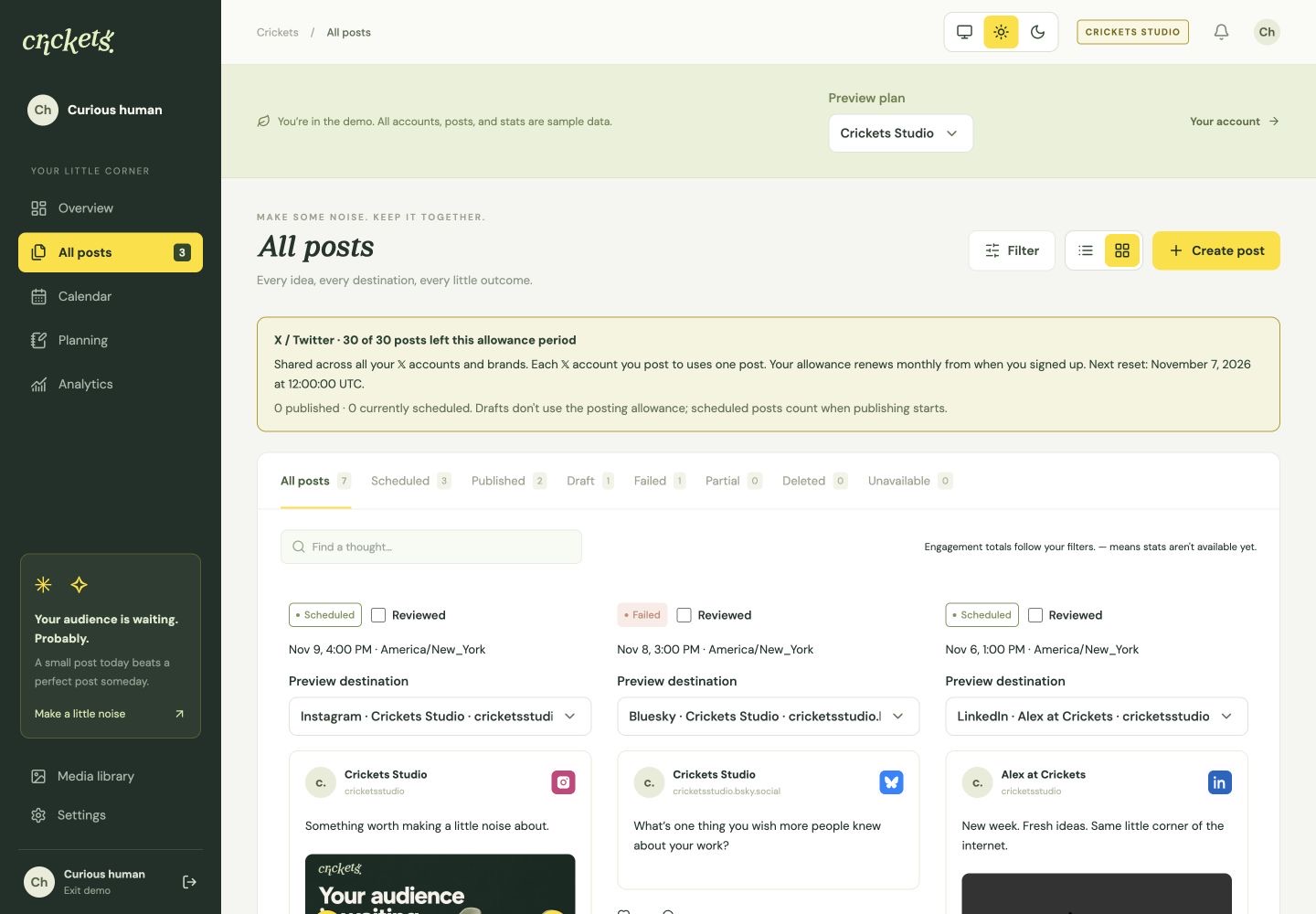
Choose List or Cards
Open All posts. The view control beside Filter and Create post switches between List view and Cards view. Your browser remembers the choice. Cards show saved post text and media; use Preview destination to inspect a particular account’s version and Open post for editing or delivery details.
The Scheduled tab puts the next scheduled posts first in either view. Search post text and use the page controls to continue through matching results.
Choose what appears
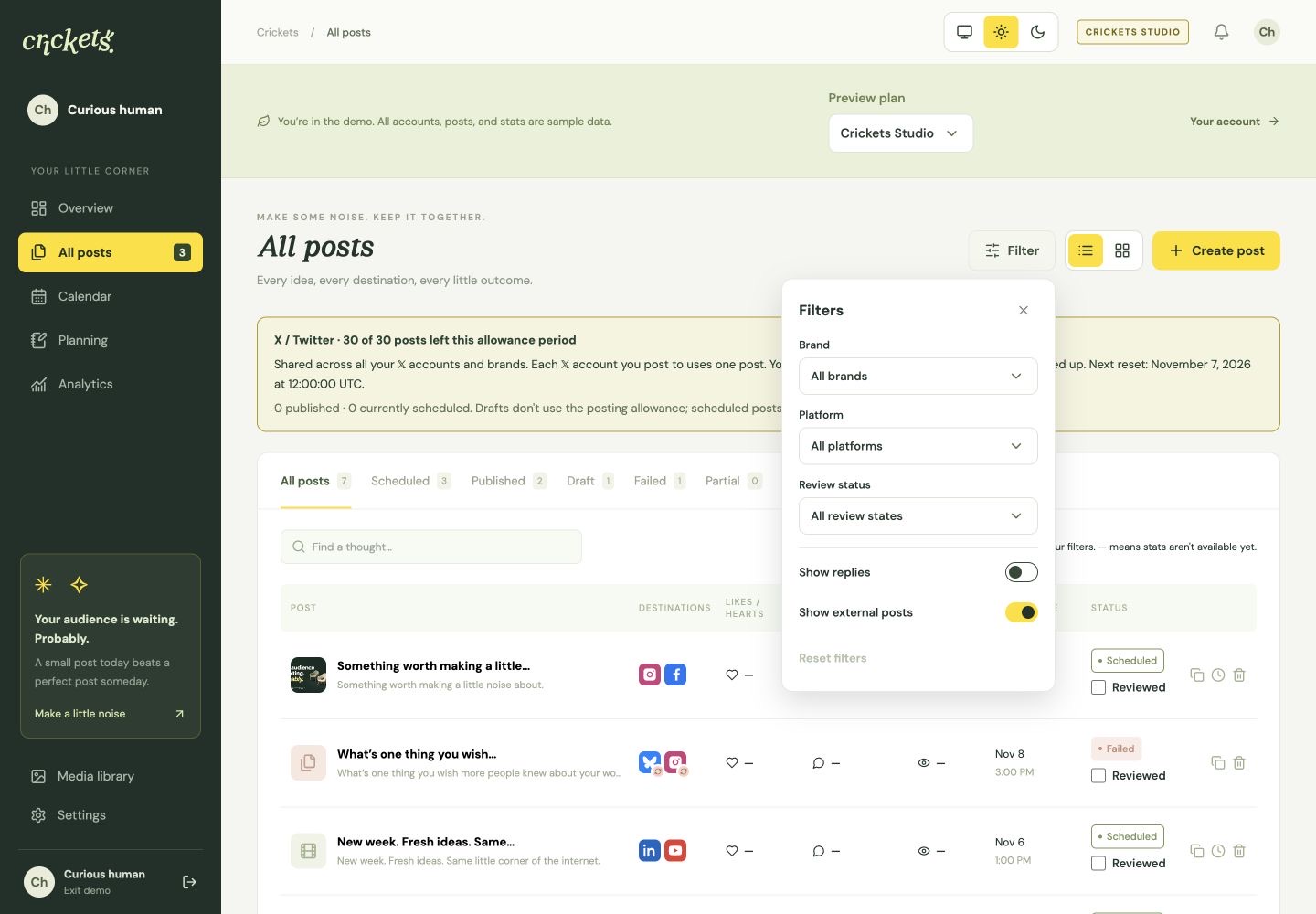
Open Filter in All posts or Calendar. Brand and platform narrow results together. All posts also includes Review status: choose Reviewed or Not reviewed, alongside any status tab such as Scheduled.
- Show external posts starts on. Turn it off to see only posts created in Crickets.
- Show replies starts off when an X account exists. Turn it on to include published X posts whose text begins with
@username. - The number beside Filter shows changed filters. Reset filters restores all brands/platforms/review states, shows external posts and hides replies.
Filters update the matching posts, counts and pages. Calendar counts follow the visible destination cards. Hiding a post does not delete it or stop its statistics refresh. Close the panel with its X, Escape, or a click outside it. List/Cards and Create post remain outside the panel.
Mark a Crickets post Reviewed
After checking a post, select Reviewed beside its status in All posts or in the thin row above the editor’s action buttons. Save an editable post to save its review mark too. In locked published details, the mark saves immediately.
Further changes to text, media, alt text or destination settings clear the mark. A schedule-only change keeps it. Reviewed Calendar cards have a thin outline around the remaining edges.
This is a manual checklist, including for drafts created by an assistant through MCP. It does not approve a client review or pause publication. Use client approval when you need an approval decision. Imported external posts have no Reviewed control and are excluded from both Reviewed and Not reviewed filters. Repeat creation and series edits do not mark unseen occurrences reviewed.
Understand imported history
Eligible connected accounts automatically pull available published posts back to your original Crickets signup date, then check periodically for new posts. This includes posts created in the social network’s own app. Initial imports can take time; the amount available depends on the account, its permissions and the platform’s history limits.
Posts created outside Crickets show Posted outside Crickets and retain their original publication time. They do not use your Crickets publishing allowance. Imports do not move a queue of unpublished posts from another scheduler.
X uses your existing X connection. Other supported accounts use their existing Social Connections authorization; you do not need a second X connection. LinkedIn personal profiles do not expose a post list. Eligible LinkedIn Company Pages can provide recent posts, but older history may be incomplete. Reconnect an account if Crickets reports missing authorization.
Read published posts safely
Imported posts and other published history are read-only. Open the published link to inspect the original, or duplicate a post into a new draft to prepare another version. Duplicating does not publish it.
Opening details shows the post’s complete destinations, even when a filter narrowed the list. Mark as deleted changes the Crickets history tag only; it does not delete a post on the social network. An unavailable resource or missing count is not proof of deletion.
Track available statistics
Imported posts use the same statistics refresh policy as other published posts: more often while recent, less often as they age. A network may provide only some metrics or limited older history. A true zero is 0; unavailable data is —.
Review available likes, comments, views and platform-specific metrics in All posts and Analytics. Imported post history does not fill in earlier follower snapshots: audience history starts when the account is connected. Crickets does not generate future-content recommendations from imports today.
Something unclear? Tell us what would help.