USER GUIDE
Connect and reconnect social accounts
Connect a profile, Page or channel, and learn when to reconnect.
Connect your first account
- Open Accounts, then choose Connect an account.
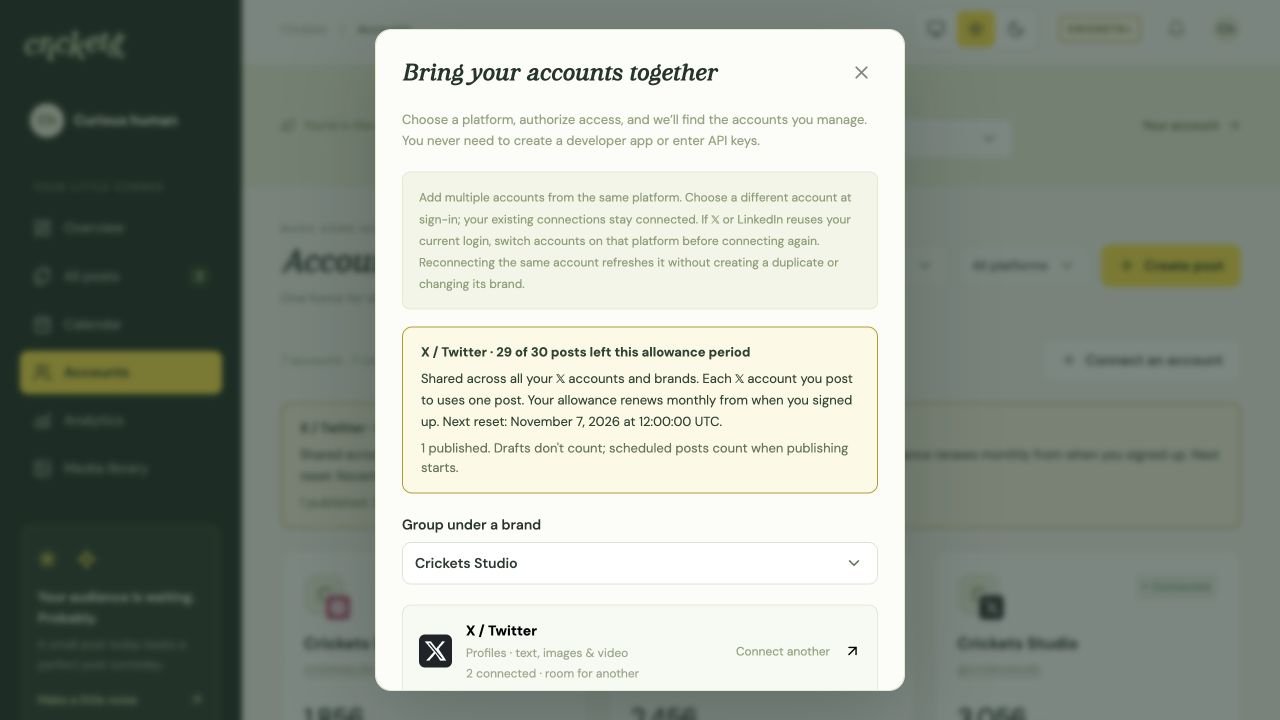
- Optionally choose Group under a brand. Leave No brand selected if you want to organize it later.
- Choose an available platform. Sign in on that platform and approve the access you want Crickets to use.
- Select the eligible profile, Page or channel when asked. If Free discovers more accounts than your remaining allowance, choose which accounts to connect before saving.
- Return to Accounts and confirm that the account is connected. Review any publishing or analytics restriction shown on its card.
Which account types work?
| Platform | What to expect |
|---|---|
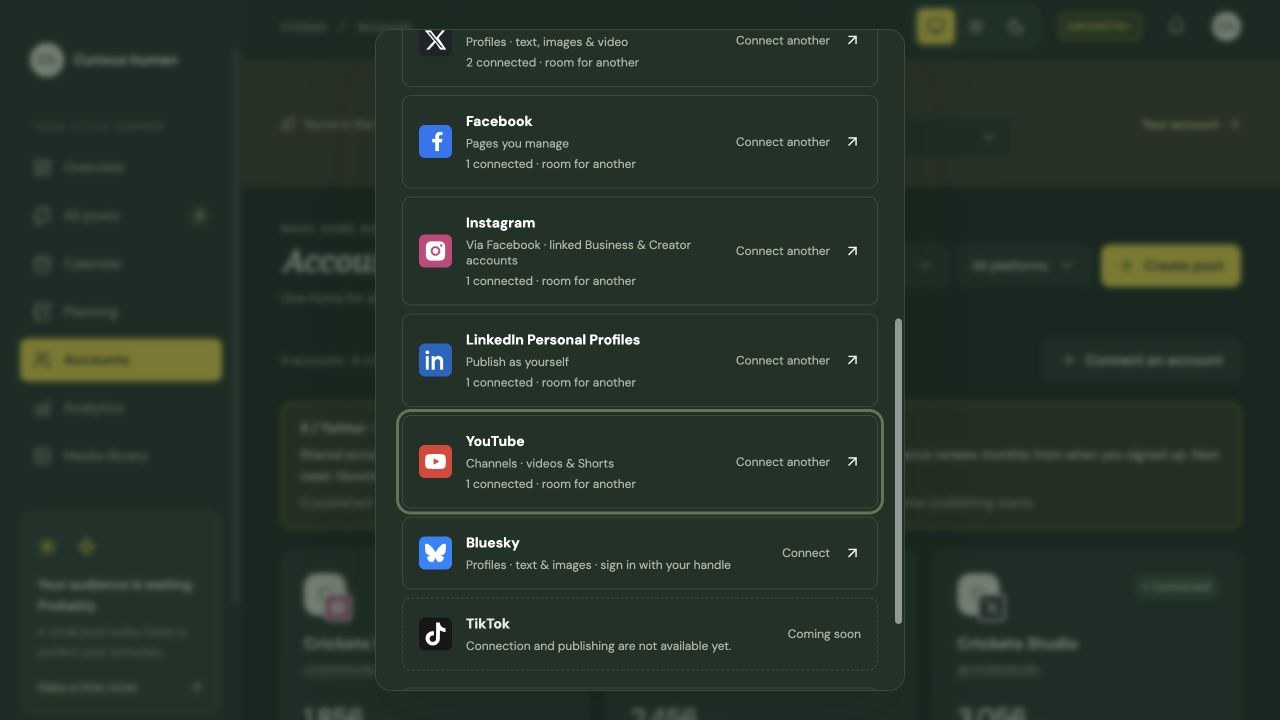
| X / Twitter | Connect a profile. Each customer can publish to 𝕏 30 times per monthly allowance period, starting at their signup date and time across all accounts and brands. Each selected 𝕏 account uses one publication. |
| Connect Pages you manage. Personal Facebook profiles are not publishing destinations. | |
| Connect eligible Business or Creator accounts linked through Facebook. Available publishing and analytics depend on granted permissions and provider approval. | |
| Connect your personal profile to publish as yourself. Company Pages and analytics require separate approvals. Connecting a personal profile does not grant Page or analytics access. | |
| YouTube | Connect a channel to upload videos with Public, Unlisted or Private visibility. Channel permissions and Google account access still apply. |
| Bluesky | Enter your handle, including a custom-domain handle, then authorize on your Bluesky service. No app password is required. Text and up to four images are supported; video is unavailable. |
| TikTok | Coming soon. Connection and publishing are not available yet. |
Platform approvals can change what is available. Check the connection dialog and account cards for current publishing and analytics access.
Account slots and more than one profile
Free includes three account connections in total. An account that needs reconnection still uses one of those slots. Disconnecting an account releases its slot.
Crickets+ includes unlimited connections. Storage, publishing and platform limits still apply.
To add another profile from the same platform, use Connect an account again and sign in with the other profile. If 𝕏 or LinkedIn reuses a login, switch accounts on that platform first. Your existing connections stay connected.
Reconnect or disconnect
When access expires or is revoked, reconnect the same profile, Page or channel. Crickets updates its existing connection and keeps its brand. You do not need to disconnect it first.
Disconnect stops pending posts for that account and keeps its card and history. Review queued posts before disconnecting.
After disconnecting, Remove account hides the card. Published post history is kept.
Need help? Troubleshoot connections and publishing.
Something unclear? Tell us what would help.