USER GUIDE
Get started with Crickets
Set up your account and get your first post ready to publish.
1. Make yourself at home
Crickets runs in your browser at app.crickets.social. Free includes three social account connections, drafts, scheduling and brands to keep projects organized. You can add media, write image descriptions (alt text), and view analytics where the platform provides them.
- Choose Sign up free.
- Choose Continue with Google to sign in or create an account using your verified Google email. To use email instead, enter your name and email address in the email form.
- For email signup, open the verification email and follow its link to set a password. The link expires after 24 hours and works once. Use Resend verification if you need a new link.
- If you forget your password, choose Forgot password. Reset links expire after one hour and work once.
2. Connect an account
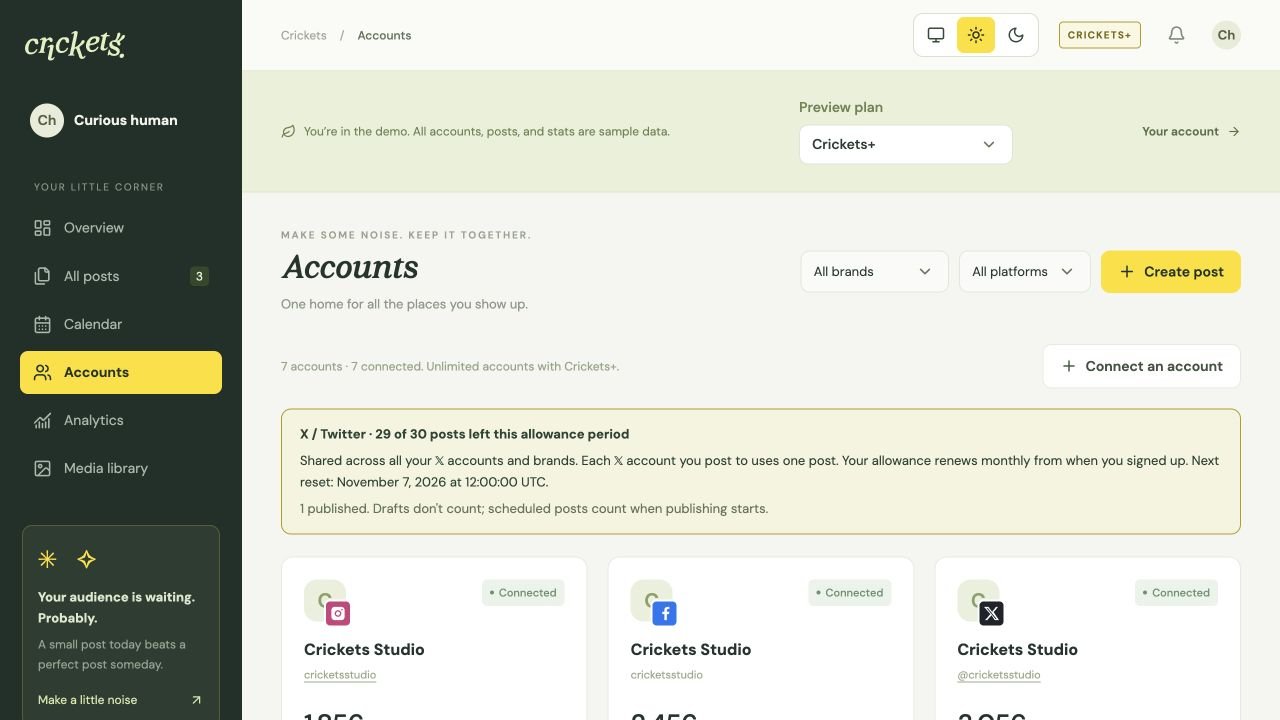
Open Accounts → Connect an account, choose a platform and give Crickets permission to use your account. You sign in on the platform’s own website; you do not need a developer app or platform API keys.
You can create brands to group projects whenever you need them. There is no setup ceremony.
3. Create a draft, then choose its timing
Choose Create post, select the accounts to post to, and write your text. Add media if needed.
- Save draft keeps the post in Crickets without publishing.
- Publish now queues it for immediate publication.
- Schedule post uses your chosen date, time and timezone.
Check delivery status after publishing. A queued post still needs the platform to confirm publication.
Next: connect your accounts, create a post, or plan your schedule.
Something unclear? Tell us what would help.