USER GUIDE
Understand analytics and delivery status
See audience trends and understand each post’s delivery and engagement.
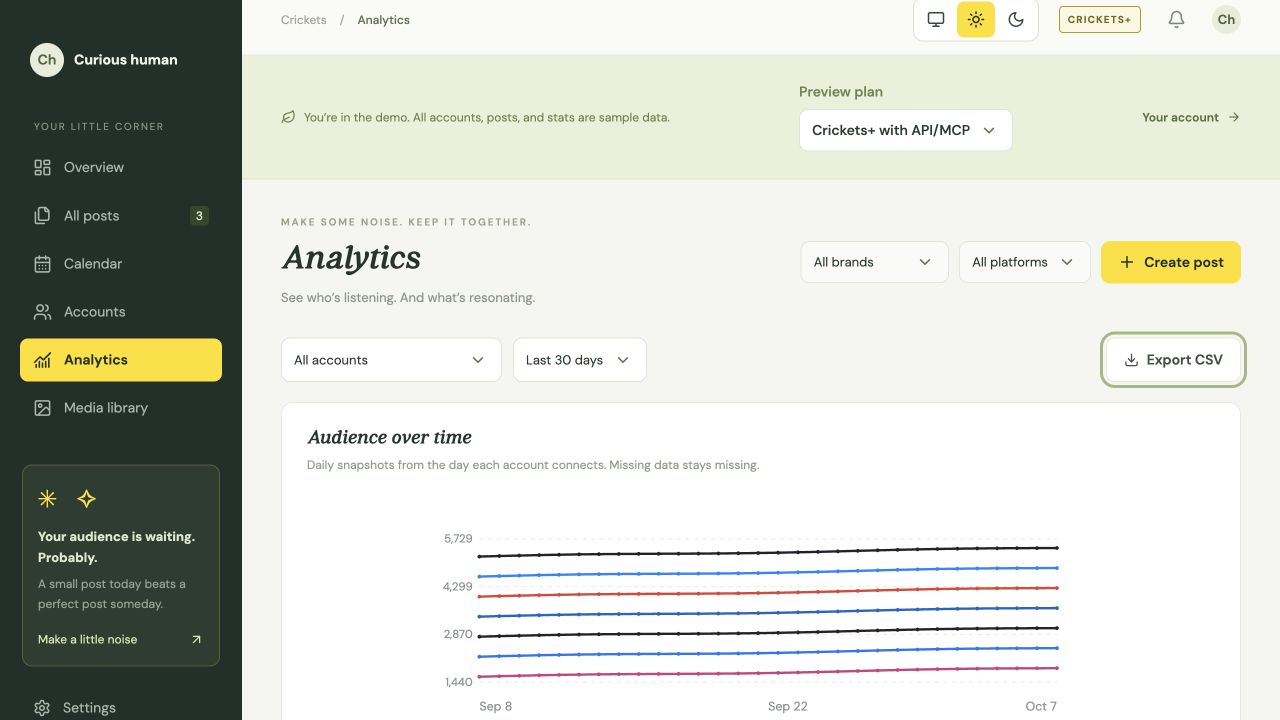
Read audience trends
Open Analytics to see recorded follower or subscriber counts for each account. Use brand and platform filters to focus on a project.
History starts when you connect. Crickets does not fill in earlier follower counts.
Understand the numbers
Engagement shows the last response recorded from the platform. Available likes, hearts, comments, replies and other counts depend on that platform and its permissions.
- 0 means the platform reported zero.
- — means the count is unknown.
- Labels identify partial results, refresh errors and last-known values.
Missing analytics does not always prevent publishing. LinkedIn publishing and analytics require separate approval. Names of people who engaged are shown only when the platform provides them.
Receive publishing alerts
Open Settings → Account → Publishing alerts and enable email alerts. Crickets sends a message when a scheduled delivery or its comment needs attention, or an account needs reconnecting. Alerts are off until you opt in and can be disabled at any time.
Email provider acceptance does not confirm arrival in your inbox. Check delivery details in Crickets for the authoritative outcome. Alert emails omit post text and media.
Check publishing outcomes
| State | Meaning |
|---|---|
| Scheduled | Planned for a future time; it has not yet published. |
| Publishing | Delivery is in progress. Do not resend it merely because it is not finished. |
| Published | The platform confirmed publication. Inspect the recorded timestamp and link. |
| Partial | Some destinations published and others need attention. Review each destination. |
| Failed / Blocked | Read the recorded reason, fix it, then use an available retry or reschedule action. |
| Needs review | The final write is uncertain. Check the social platform before retrying. |
| Deleted | A separate destination history tag. It is not the same as unavailable data or a permission error. |
Refreshing statistics
Crickets checks statistics less often as posts age. Most posts stop automatic engagement checks after 90 days; YouTube follows a separate retention policy. If a check fails, the last-known values stay visible.
Manual account refresh depends on platform permissions and available refresh allowance. Wait five minutes before refreshing the same account again.
A refresh may return the same numbers or no new data. Read the troubleshooting guide.
Something unclear? Tell us what would help.