USER GUIDE
Organize accounts with brands
Keep projects separate and choose a default brand for new posts.
Create and edit a brand
Brands keep separate projects in their own lanes. They are included on every plan, and you create only the ones you need.
Open Settings → Brands & defaults. Add a brand with a name and color, then save it.
Assign connected accounts using their brand controls. You can also choose a brand when connecting an account or composing a post.
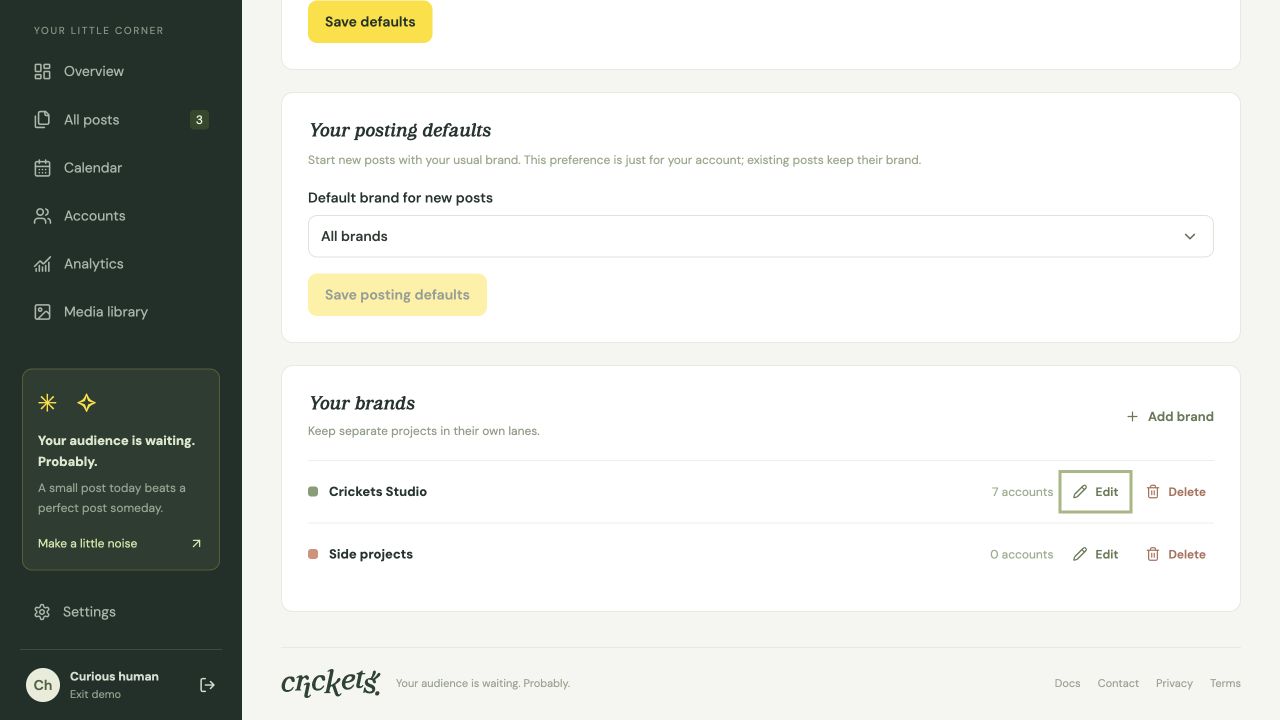
Filters and defaults
- All brands includes grouped and ungrouped accounts and posts.
- No brand includes only ungrouped items.
- A selected brand shows only its own accounts and posts. Adding a platform filter narrows those results further.
Your saved default brand is used for new posts. Page filters do not change that preference. Existing and duplicated posts keep their original brand.
If the default brand no longer exists, new posts use All brands.
Rename or delete safely
Renaming a brand or changing its color keeps its ID, connections, schedules and history.
When deleting a brand, choose whether to move its items to another brand or leave them ungrouped. Accounts and posts are kept. If it was your default brand, new posts return to All brands.
Something unclear? Tell us what would help.